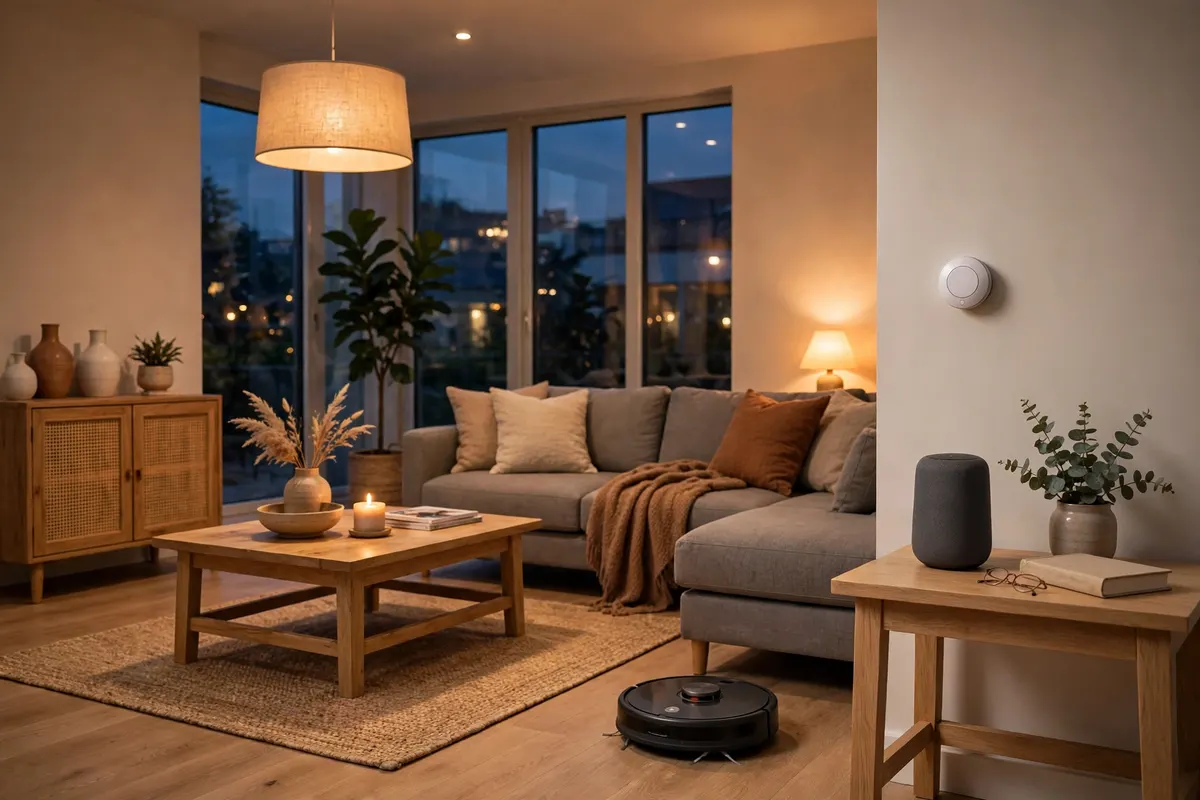
A smart speaker that plays the radio, lights you can dim from the sofa, a doorbell that shows you who is outside while you are at work: smart home technology has quietly become ordinary, affordable and genuinely useful. If you have been curious but never knew where to begin, this guide to smart home devices for beginners explains what is worth buying first, what can wait, and how to set things up so your home feels cleverer without becoming complicated.
The secret is to start small and solve real annoyances. One or two well-chosen devices that you use every day beat a house full of gadgets you have to think about. Build in stages, learn what each type of device does well, and your home will come together piece by piece.
What counts as a smart home device?
A smart home device is any household gadget that connects to your home Wi-Fi or another home network and can be controlled by an app, by voice, or automatically through schedules and sensors. The main families are smart speakers and displays, lighting, heating controls, security cameras and doorbells, plugs, and appliances such as robot vacuums. What makes them feel smart is not any single trick; it is the way they can work together, switching the hall light on when the doorbell spots someone arriving, for example, or warming the house just before you get home.
Most devices are controlled through one of the big voice assistant platforms, and the app on your phone acts as the remote control for everything. Choosing one platform early and sticking with it keeps life simple, because every device you add appears in the same place.
Start with a smart speaker or smart display
For most beginners, a smart speaker is the ideal first purchase. It is inexpensive, takes minutes to set up, and immediately earns its place: timers while you cook, music and radio, weather forecasts, shopping lists and answers to quick questions, all hands-free. A smart display adds a screen, which makes it even better in the kitchen for recipes and video calls, and it can show your camera feeds and photo albums.
Think of the speaker as the friendly front door to your smart home. Once you are comfortable asking it to play music, asking it to turn the lights off or lock up for the night feels natural, and every device you add later will usually connect back to it. Voice control is also a quiet accessibility win, and if the idea of helpful technology appeals, our feature on how AI is changing everyday beauty routines shows how fast this technology is spreading into every corner of daily life.
Smart lighting: the easiest upgrade you will feel every day
Smart bulbs and smart light switches come next for most people, and for good reason. Swap a standard bulb for a smart one and you can dim it without a dimmer switch, schedule it to come on before you get home, and set a warm glow in the evening and a brighter white in the morning. A lamp on a timer when you are away is also one of the oldest and best security tricks going, now without the plug-in timer dial.
Start with the rooms you use most, typically the living room and bedroom, rather than rebulbing the whole house at once. If several lights run from one switch, a smart switch or a single smart bulb in a key lamp may be smarter than replacing every bulb. Renters can take bulbs and lamps with them when they move, which makes lighting the friendliest place to experiment.
Heating and energy: where smart devices can pay for themselves
A smart thermostat learns or is told when you actually need the heating on, and lets you adjust it from anywhere. Coming home late? Delay the heating. Going on holiday? Turn it down from the airport and check the pipes are safe from a frost setting while you are away. Paired with smart radiator valves, you can heat the rooms you use and spare the ones you do not.
Smart plugs deserve a mention here too. They turn any ordinary appliance into a schedulable one, and many models report how much energy the attached device uses, which is a revelation if you have ever wondered what the old freezer in the garage is costing you. If you are planning a bigger home project alongside the gadgets, thinking about how a property presents itself matters too, as our look at homes and investment in the Azores explores from the buying side.
Security and peace of mind
A video doorbell is the security device most beginners rate highest. You can see and speak to callers from anywhere, check whether a parcel has been left, and get an alert when someone approaches the door. Indoor and outdoor cameras extend the same idea, and smart locks remove the lost-key problem altogether, letting you give a cleaner or family member their own entry code.
Keep privacy in proportion. Put cameras where they watch entrances, not neighbours’ gardens, use the strongest password and two-step verification on your accounts, and keep device software updated. A smart home should make you feel safer, and basic digital housekeeping is part of that.
Compatibility: the one thing to check before you buy
The classic beginner mistake is buying devices that refuse to talk to each other. Before purchasing, check that a device works with the platform you already use, whether that is the assistant in your speaker or the app you prefer. A newer industry standard called Matter, which runs over a low-power network called Thread, is making this steadily easier: devices carrying the Matter logo are designed to work across the major platforms, so you are not locked in.
Your Wi-Fi matters just as much. Smart devices mostly use the common 2.4GHz band because it travels further through walls, so a router that covers the whole house, or a simple mesh system in a larger home, prevents the drop-outs that make gadgets feel unreliable. If your broadband struggles at the far end of the house, fix that first; everything else will thank you.
A simple starter setup, in order
If you want a plan, here it is. First, one smart speaker or display in the room you spend most time in. Second, smart bulbs or a smart plug for two or three lamps you use daily. Third, a video doorbell. Fourth, when you are ready, a smart thermostat. That sequence gives you voice control, lighting, security and heating, the four things people actually use, for a modest outlay and an afternoon of setup at most.
From there, add for pleasure rather than novelty: a robot vacuum if floors are your chore of dread, smart blinds if a sunny room overheats, or outdoor lighting if the garden path is dark. And if you enjoy reading about how technology reshapes ordinary routines, our guide to using interactive puzzles in education shows the same pattern at work in the classroom. Start with the basics, enjoy them, and your smart home will grow at exactly the right pace: yours.